
- May 9, 2026
- by Parbeshkumar Maurya
Reactivation Emails: A Complete Guide to Win Back Inactive Subscribers
In marketing, we often focus on growth, more leads, bigger lists, wider reach.
But here’s what many teams overlook: A large list doesn’t mean a healthy list.
We worked with brands that had hundreds of thousands of contacts, yet struggled to drive engagement or conversions. When we analyzed their data, the issue wasn’t acquisition, it was inactivity. A significant portion of their audience had quietly stopped engaging.
No unsubscribes. No complaints. Just silence.
And that silence affects everything from deliverability to ROI.
This is where reactivation emails come into play. They’re not just a recovery tactic they’re a core part of maintaining a high-performing email program.
We’ll cover:
- What a reactivation email is and what it’s meant to achieve
- Why reactivation plays a critical role in deliverability and ROI
- How to accurately identify inactive customers (without guesswork)
- Proven strategies to bring disengaged users back
- Different types of re-engagement emails and when to use them
- Common mistakes that quietly kill performance
What is a Reactivation Email?
A reactivation email is a targeted message sent to subscribers who have stopped engaging with your emails over a defined period.
In a context, this could include:
- Leads who downloaded a resource but never returned
- Prospects who stopped opening newsletters
- Users who disengaged after initial interest
- Users who bought once only
The goal isn’t just to get an open, it’s to restart a relationship.
And sometimes, just as importantly, it’s to confirm when that relationship has ended.
Because effective email marketing isn’t just about reaching more people, it’s about reaching the right ones.
Why Send a Reactivation Email?
How to Identify Inactive Customers?
Before you can re-engage users, you need to define inactivity clearly and this is where many teams oversimplify.
Inactivity is rarely black and white. A user may ignore emails but still be evaluating your product elsewhere.
That’s why identification should be based on behavior over time.
Start by analyzing:
- Last open or click
- Time since last interaction
- Purchase or conversion history
- Campaign exposure frequency
From here, segment your audience intelligently.
For example, users inactive for 30–60 days may just need a reminder. Those inactive for 90+ days often require stronger messaging or a different approach.
The key is simple: Not all inactive users are the same and your strategy shouldn’t treat them as such.
Reactivation Email Best Practices & Strategy
Reactivation emails work best when they feel intentional—not automated. Instead of treating them like one-off campaigns, think of them as a structured journey to rebuild attention and trust. Explore best way to re-engage inactive email subscribers.
1. Start with Honest, Human Communication
The first step is acknowledging inactivity naturally.
Messages like “It’s been a while” or “We miss you” feel human not transactional. This lowers resistance and opens the door for engagement.
2. Reintroduce Your Value Clearly
Once you’ve reconnected, answer the key question: Why should they care now?
Highlight what’s changed new features, improved offerings, or added value. Remind them why they engaged in the first place and why it matters now.
3. Keep the Message Focused and Simple
At this stage, attention is fragile.
The most effective reactivation emails focus on a single message and a clear next step. When users are disengaged, simplicity performs far better than complexity.
4. Use Personalization to Rebuild Relevance
Personalization goes beyond first names.
Reference:
- Past behavior
- Previous interactions
- Content or product interest
This creates familiarity and familiarity drives engagement.
5. Offer a Compelling Reason to Return
Sometimes users need a push.
This could be:
- Exclusive access
- A limited-time offer
- A free trial or upgrade
Value-based messaging often outperforms discounts, but the right incentive can accelerate action.
6. Give Users Control Over Their Experience
Not every inactive user wants to unsubscribe.
Many just want less noise.
Allow users to:
- Adjust frequency
- Choose content types
- Pause emails
This simple shift can significantly reduce churn.
7. Design a Multi-Step Reactivation Journey
A single email rarely works.
Effective reactivation campaigns follow a sequence:
- A soft reminder
- A value-driven follow-up
- An incentive-based push
- A final “breakup” email
This mirrors real user decision-making and improves recovery rates.
8. Time Your Emails Thoughtfully
Timing is critical.
Too many emails feel intrusive. Too few reduce recall.
Spacing emails strategically helps maintain relevance without overwhelming the user.
9. Clean Your List to Protect Performance
Sometimes reactivation isn’t about winning users back, it’s about letting them go.
If users remain inactive after multiple attempts, removing them improves:
- Deliverability
- Engagement rates
- Campaign efficiency
A smaller, engaged list always outperforms a large inactive one.
Common Mistakes in Reactivation Emails
Even strong strategies fail due to avoidable mistakes:
- Treating all inactive users the same
- Sending too frequently
- Failing to communicate clear value
- Overusing discounts instead of relevance
- Ignoring preference controls
- Not cleaning inactive users
- Using generic messaging
- Overloading emails with content
These mistakes don’t just reduce reactivation, they weaken your entire email program.
Common Types of Re-Engagement Emails
Reactivation isn’t one-size-fits-all. Different approaches work for different scenarios.
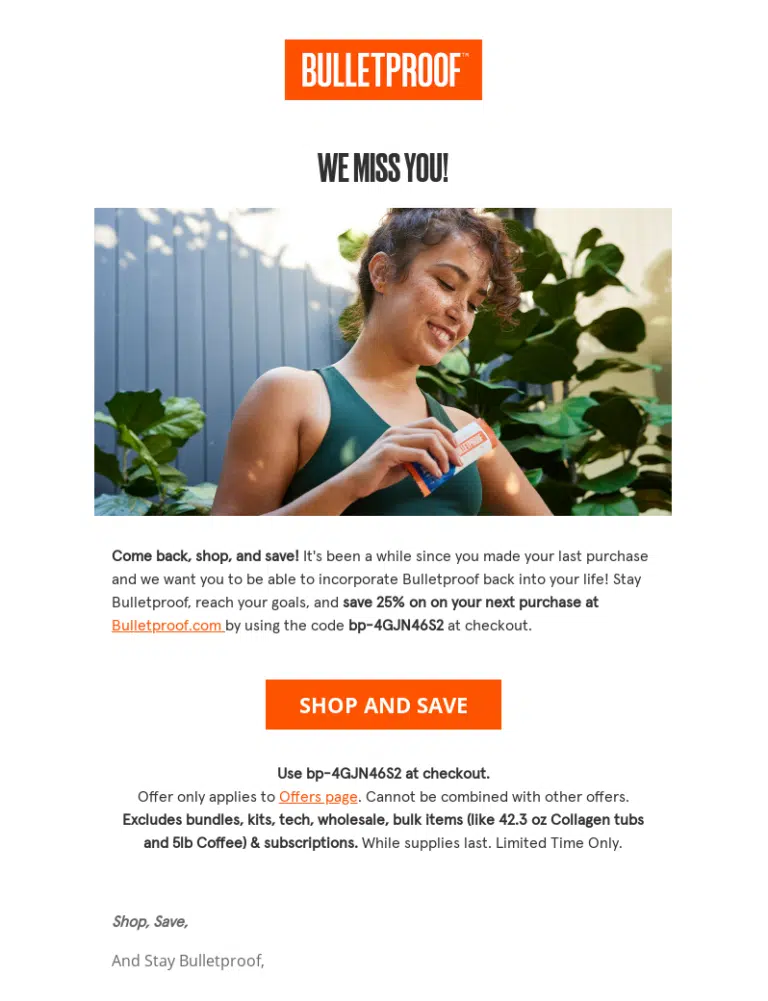
“We Miss You” Emails
Simple, human, and effective. These emails reopen the conversation without pressure.
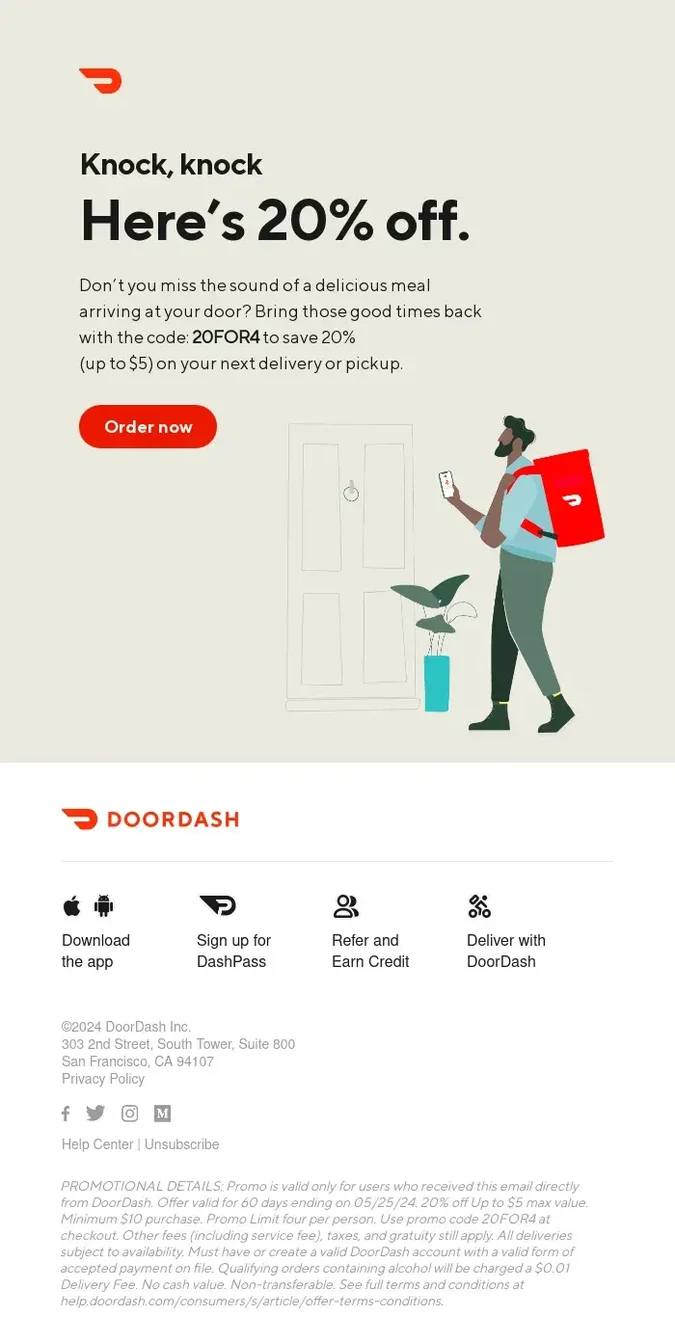
Incentive-Based Emails
Offer-driven emails work well in transactional environments, encouraging immediate action.
Product or Feature Update Emails
In B2B, highlighting new features or improvements can reignite interest and reposition value.
Feedback and Survey Emails
Sometimes the best way to re-engage is to ask why users disengaged. This builds trust and provides insights.
Preference Update Emails
Let users customize their experience instead of leaving entirely.
Breakup Emails (Final Step)
A direct message asking if they still want to hear from you often drives strong engagement or helps clean your list effectively.
Final Thoughts: Reactivation Is About Strategy, Not Just Recovery
Reactivation emails aren’t about forcing users back, they’re about understanding why they left and giving them a reason to return.
A healthy email program isn’t built on list size, it’s built on engagement.
The brands that win aren’t the ones sending more emails.
They’re the ones sending more relevant emails to the right audience at the right time.
And sometimes, the smartest move isn’t re-engagement, it’s refinement.
How Kenscio & KenMail Help You Reactivate Smarter
